VIDEO
In this blog post, we'll share the journey of our experimentation with Claude Artifacts and how it led to the creation of the MotherDuck data app Generator (GitHub). This tool might just be the easiest way for you to get started with building MotherDuck data apps (definition below).
AI coding assistants like Claude Artifacts, LlamaCoder, GPT Engineer, and v0.dev can build web applications using only natural language instructions. But creating data applications remains challenging for current coding assistants. They often lack an analytical database component to efficiently process data and are missing context about your specific database schema.
Inspired by this challenge, we developed an experimental AI tool that generates MotherDuck data apps in seconds based on your instructions and your specific database schema, all running in JS in the browser. It worked so well that we're excited to share it with you.
A data app is an interactive web application designed to offer insights or automate actions using data, including examples like data visualizations and custom reporting tools for business groups. These apps integrate data processing, storage, and visualization technologies to provide real-time analytics embedded into the software that teams and customers already use. Motherduck data apps are special because they utilize a novel 1.5-tier architecture, combining client-side processing with cloud storage to deliver efficient, low-latency data analytics.
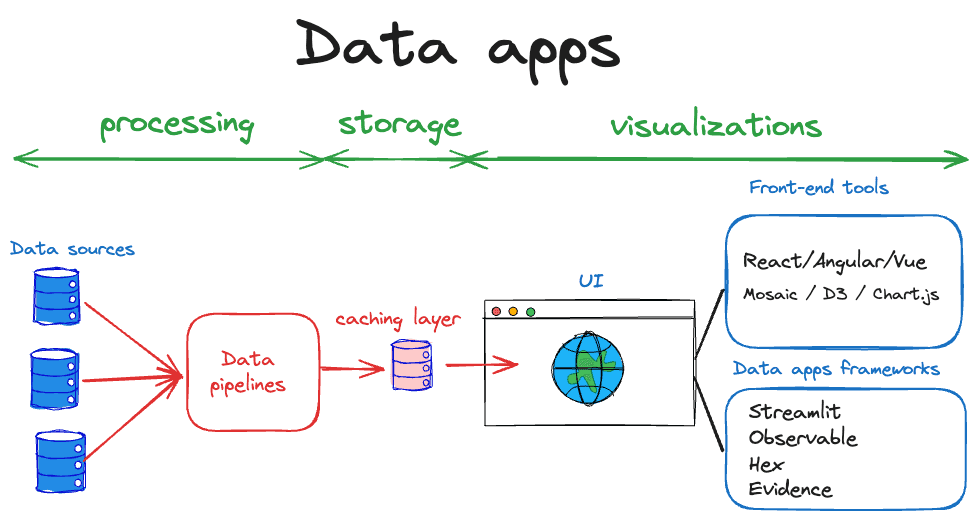 Learn more about Data Apps
We started the journey by trying out Claude Artifacts, an AI tool that can generate code and is specifically well suited for generating web applications. Here's what happened when we tested it:
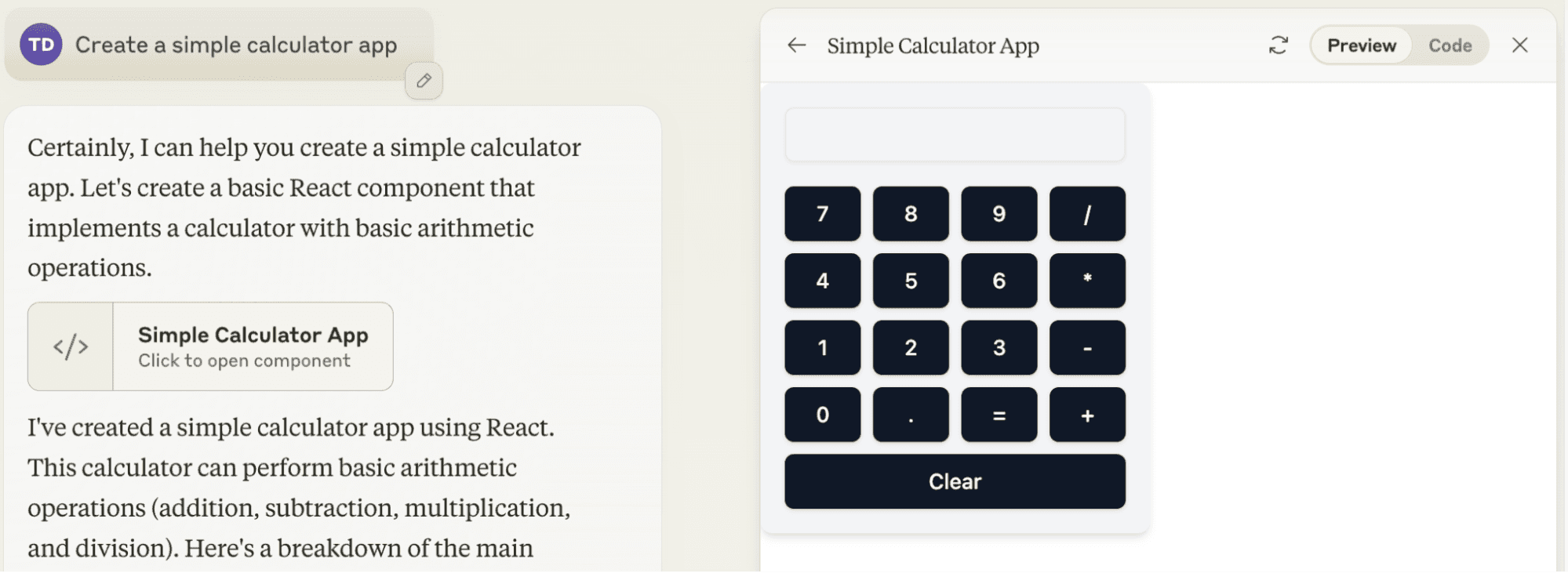
We started by generating a simple calculator, which Claude handled routinely.
Next, we tried to get it to use MotherDuck's WebAssembly (WASM) npm package, which is an SDK that allows you to run DuckDB with MotherDuck in the browser. We started with a simple instruction, that just asked the AI to create an app that connects to MotherDuck and shows a list of all databases. This is where we ran into some problems:
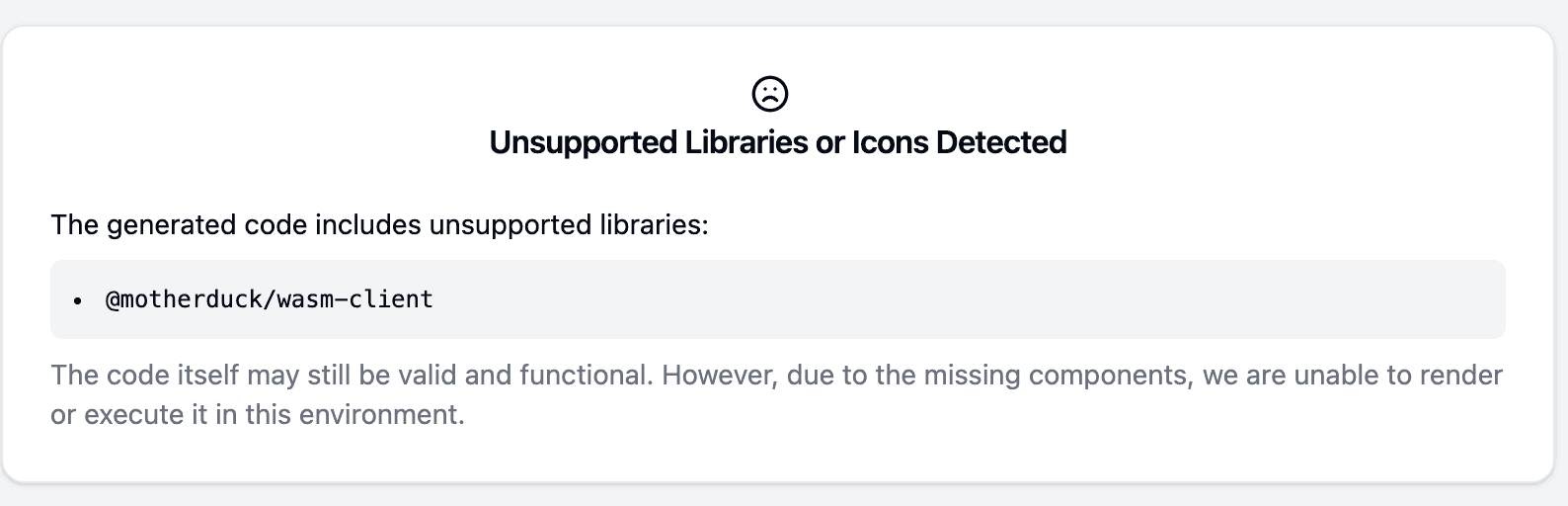
This motivated us to experiment with developing our own MotherDuck data app generator.
Using what we learned from our tests, we created the MotherDuck Data App Generator. Here's how we put it together.
In our system prompt we instruct the model to only generate one self-contained component and wrap it into <component> tags to make it easier to extract from the output. We furthermore provide instructions that are teaching the model how to write MotherDuck Data Apps. This includes providing context on which React components to use, how to connect to MotherDuck and run queries, and how to leverage DuckDB's and MotherDuck's extensive SQL features (for example how to read files directly from S3 or Hugging Face, and how to use MotherDuck’s prompt function to generate summaries of text, etc.).
We want the model to focus on generating the component, without getting distracted by the project setup. Hence, we provide a pre-existing React project scaffolding into which the generated component can be seamlessly integrated.
The generator interface itself is a simple Streamlit app. The reason we use Streamlit is that it makes it super easy to set up a chat interface, allowing for a more user-friendly experience when interacting with the generator. Funnily enough, the first prototype of Claude Artifacts was also a Streamlit app (Read more about the backstory here). The drawing below provides a high-level overview of the app generator components.
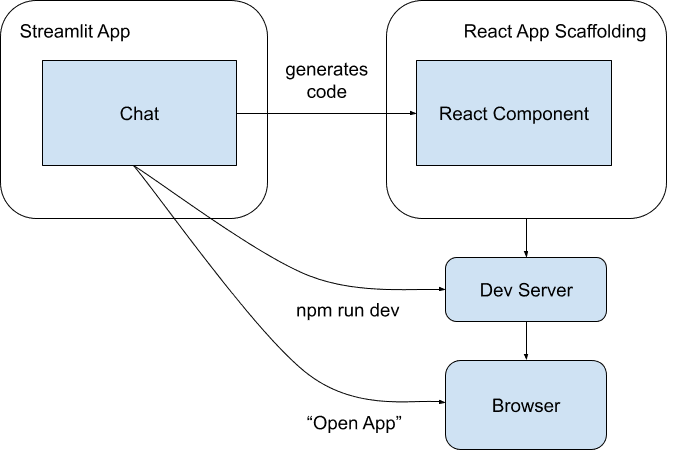
Detailed overview:
<component> tags. We extract this code from responses and write it into the "MyApp.jsx" component in our app scaffolding.To show how our Data App Generator works in practice, let's walk through creating a simple app that shows basic summary stats of our hacker news sample dataset.
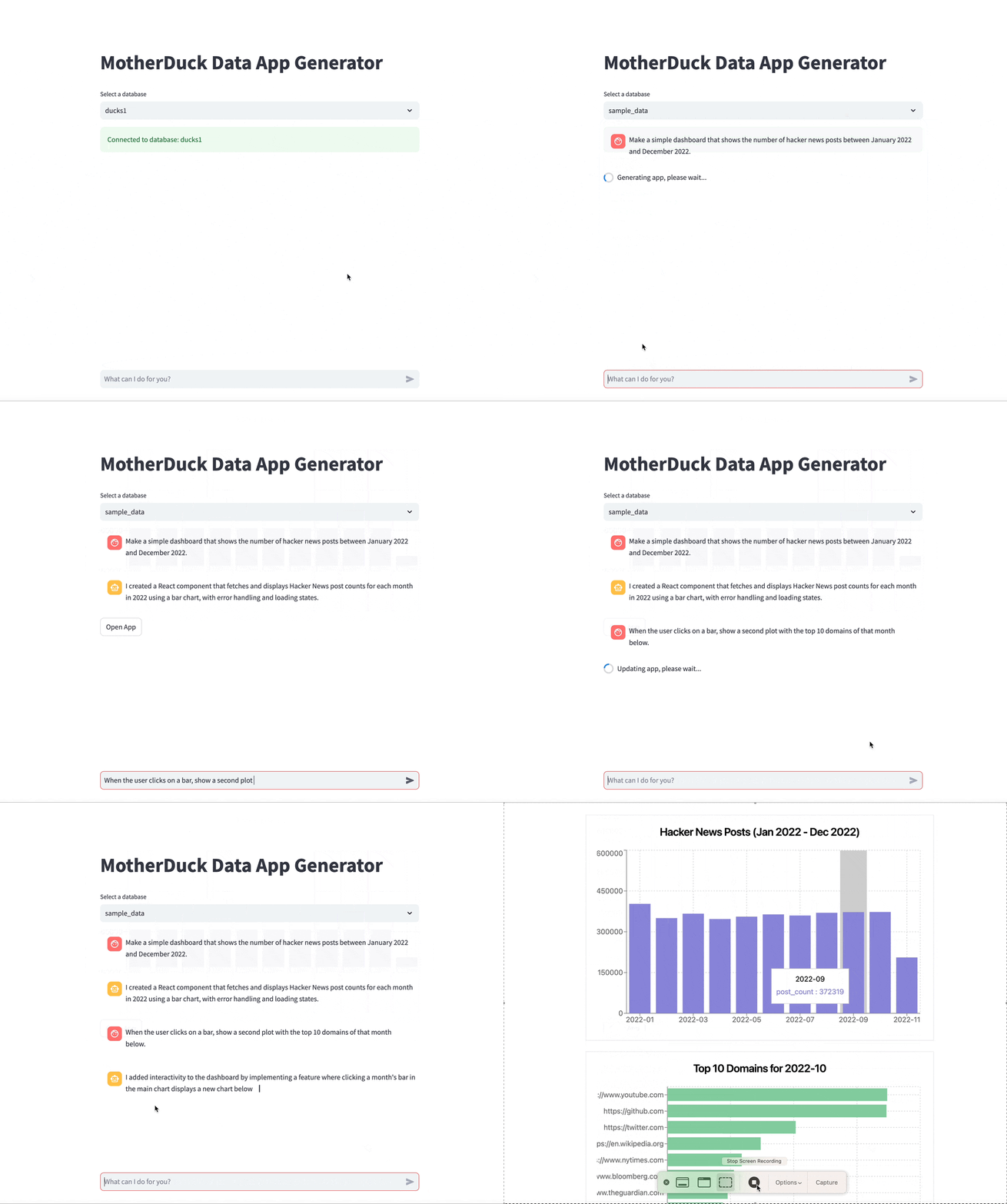
We started by asking the AI to "Make a simple dashboard that shows the number of hacker news posts between January 2022 and December 2022." It creates a basic bar chart with this information. Then we ask to add another plot showing the distribution of posts across the top 10 domains in the selected month. It then adds a second plot and generates a SQL query to fetch the information from the database, whenever the user selects a specific month.
The video below shows the development process and the resulting app:
This wasn't the only thing we tried. Below are some more examples of apps we created while testing the tool.
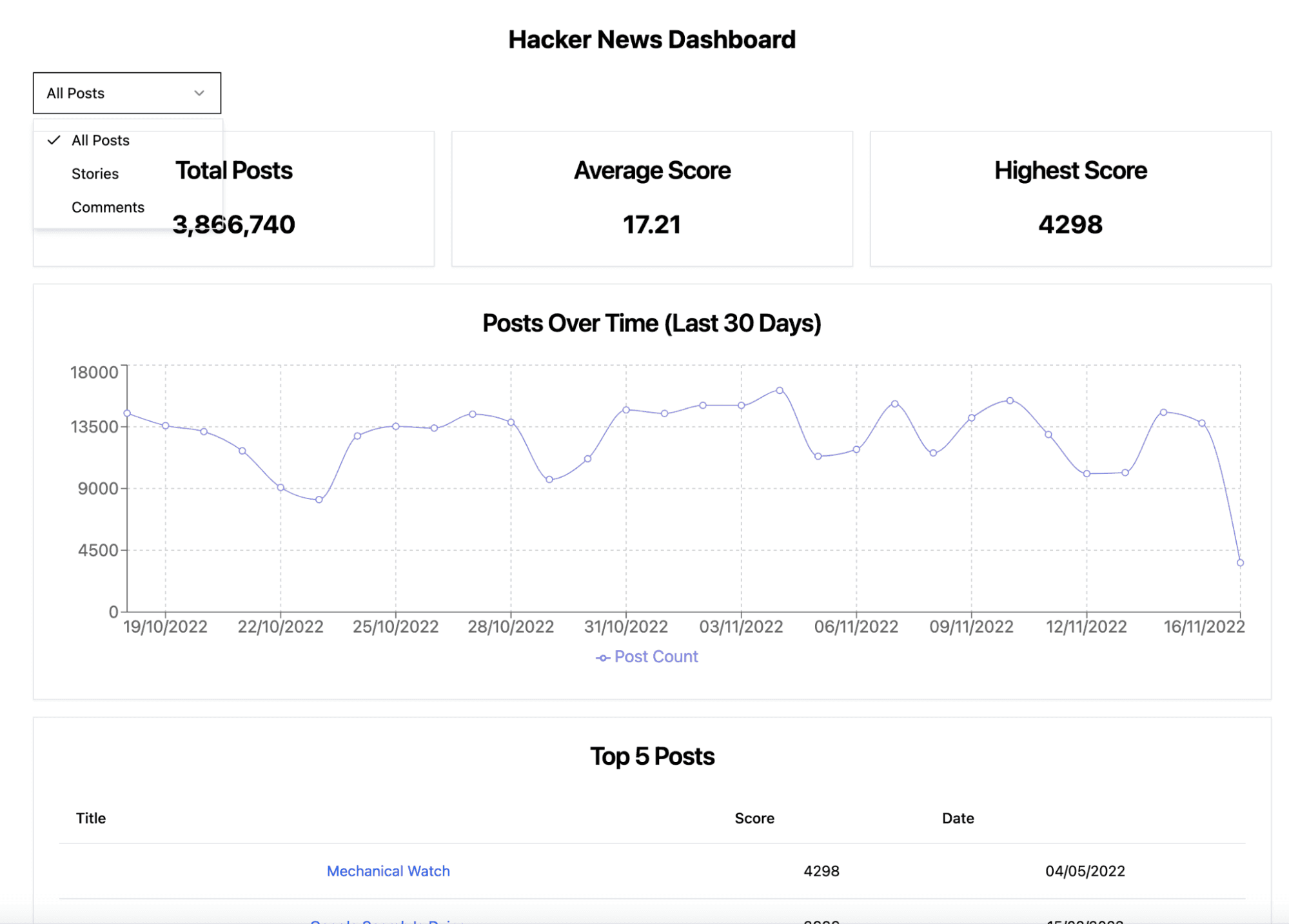
Prompt: “Create a dashboard for hacker news posts”
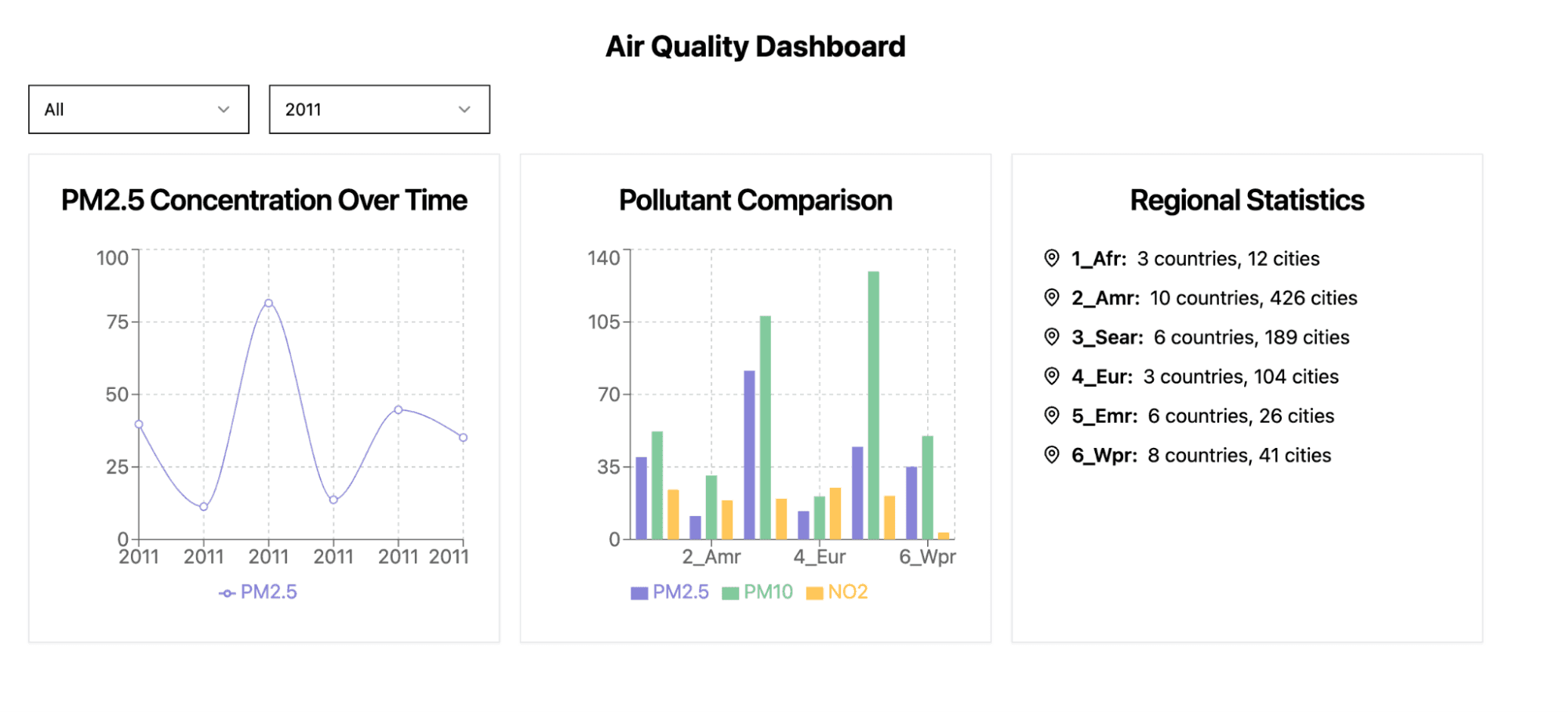
 Prompt: “Create a dashboard for air quality across different times and regions”
It is not unusual to encounter errors in the generated code or issues in the user interface. However, after we highlight the problem, the generator generally proceeds into the right direction. We included some best practices and troubleshooting tips below and in an information panel within the Data App Generator.
To build apps effectively
Troubleshooting
Below is an example of a task where we had to provide some follow-up instructions to achieve our desired outcome.
Prompt: “Show a timeline of DuckDB versions over time, using the DuckDB version csv at https://duckdb.org/data/duckdb-releases.csv. Columns are: release_date, version_number, codename, duck_species_primary, duck_species_secondary, duck_wikipage, blog_post. Make the dots darkgreen and show an infobox at the bottom when I select a dot which contains the link to the wikipedia article and some additional information”
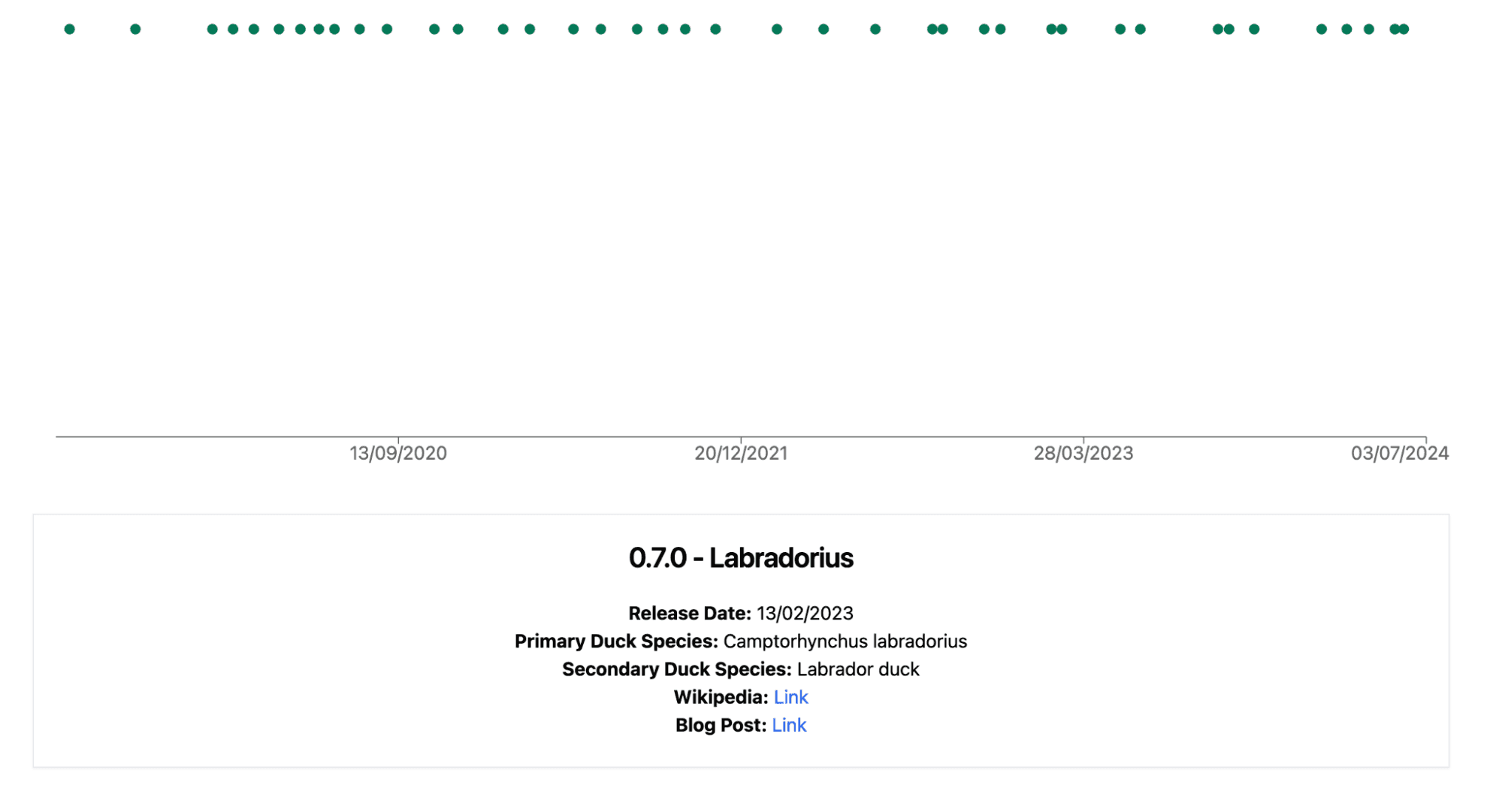 Follow-up Prompt: “All dots are in the same line. Scale the y-axis properly.”
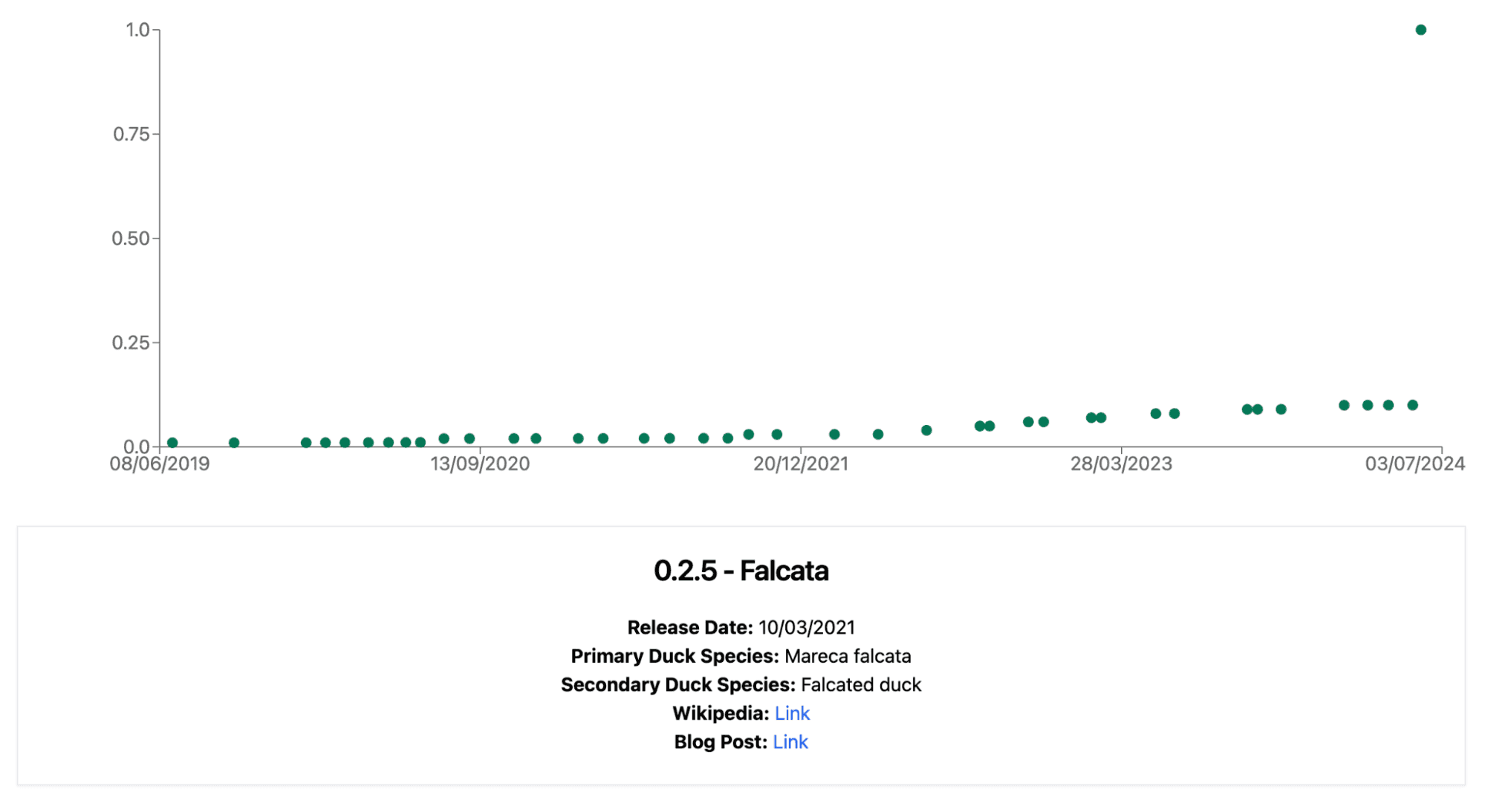
Follow-up Prompt: “Make the y-axis categorical and make the plot more in the style of a timeline”
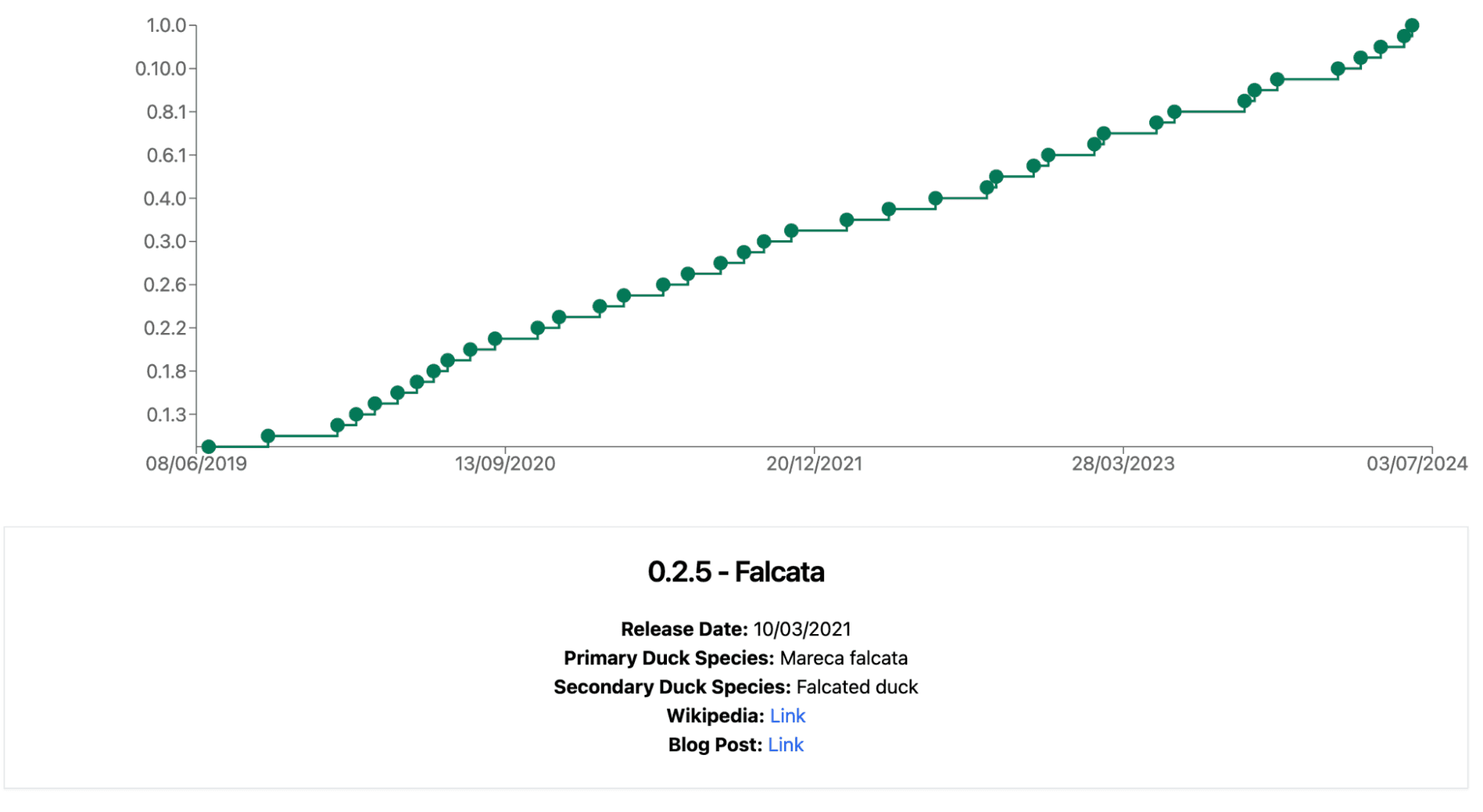
The shown examples:
As it’s an early project, we believe the code should not be used in production without an additional review to ensure its reliability and security. Although the code is written in JavaScript because the model is better at writing JavaScript than TypeScript, we recommend using TypeScript for production applications to benefit from its type-checking capabilities.
Additionally, the code employs JavaScript string-templated queries, which can pose security risks; we advise using prepared statements instead. For detailed information on prepared statements, you can refer to our docs. If you are looking to implement an authentication flow, a starting point can be found in this example.
Creating the MotherDuck Data App Generator has been an interesting journey. We started with an idea about using AI to help build data apps, and through testing and problem-solving, we ended up with a tool that can create useful apps quickly and easily.
In the world of data and app development, tools like this are making it easier than ever to turn data into something useful. We're excited to see what people will create! We encourage you to try out the MotherDuck Data App Generator yourself. See what kind of apps you can create with it, and let us know how it goes. Your experiences and feedback will help us make the tool even better.
You can find the full source code and documentation of our Data App Generator on GitHub
Additionally, we recognize that there are existing limitations and that working with a local tool can be challenging for end users. We are excited about the idea of a cloud-based version of the Data App Generator. So, Stay tuned for updates!
Happy coding!