BLOG
Moving data from an operational OLTP database is a necessary step in any analytics journey. Operations is where most of the data you need to drive business-critical insights. In this blog post, we'll understand why this matters, what change data capture (CDC) can bring in this context, and how Estuary and MotherDuck provide a fully managed off-the-shelf solution. So, if you are overloading your PostgreSQL/MySQL database with analytics, this article is for you!
Companies often start to do analytics by running simple queries on their operational databases for their applications. These databases are typically OLTP (Online Transaction Processing) databases optimized for transactional processing involving low-latency, high-concurrency read/write operations.
Getting insights on this through analytical queries is the best way to get started. But as your data and business grow, you quickly start to overload and OLTP database that is not designed for analytical queries.
OLAP (Online Analytical Processing) databases, on the other hand, are optimized for analytical processing and support complex queries over large datasets. MotherDuck, Snowflake, and BigQuery are examples of such databases. OLAP databases are the most common types of databases that you use to support your BI tools (dashboards, catalogs, etc).
Now, enter the first challenge of any data engineer: how should I move data into the OLAP database?
CDC pipelines replicate data changes from one database or system to another in real-time. In our case, it's typically moving from an OLTP database (e.g., PostgreSQL) to an OLAP system (e.g., MotherDuck) to offload analytics queries.
CDC has a couple of challenges :
Besides all of this, you also have different ways to handle CDC. For instance, with PostgreSQL you will see:
Multiple solutions exist, including open source, but they often take work to set up and maintain.
Fortunately, there are some tools that manage all the above for you. Let's get hands-on and try a CDC pipeline from a PostgreSQL database to MotherDuck using Estuary.
For the below demo, you would need :
While this demo uses PostgreSQL as a source, feel free to try any other available connectors from Estuary.
To quickly get started with a cloud PostgreSQL database, we'll use Neon. You can sign up for free as part of their free tier.
First, head over to Dashboard to create a dedicated database.
To load some sample data, the easy way is to use the online SQL editor from Neon.
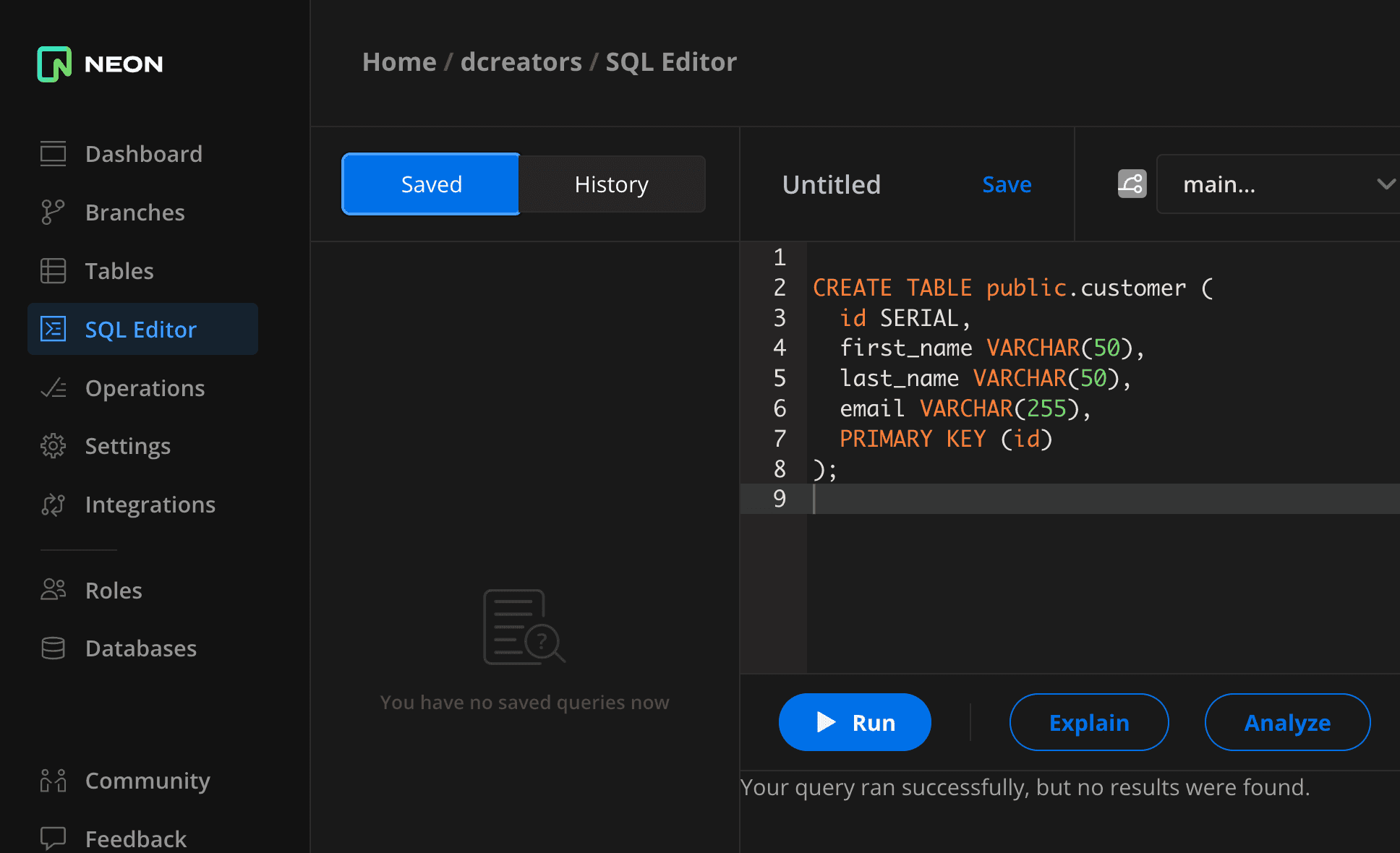 First, we'll create a
 customer table. Run the following in the online SQL editor
Copy code
CREATE TABLE customer (
id SERIAL,
first_name VARCHAR(50),
last_name VARCHAR(50),
email VARCHAR(255),
PRIMARY KEY (id)
);
Now, let's ingest some sample data.
Copy code
INSERT INTO public.customer (id, first_name, last_name, email)
VALUES
(1, 'Casey', 'Smith', 'casey.smith@example.com'),
(2, 'Sally', 'Jones', 'sally.jones@example.com');
For Estuary's access, we will create a dedicated role, head over Roles->New Role
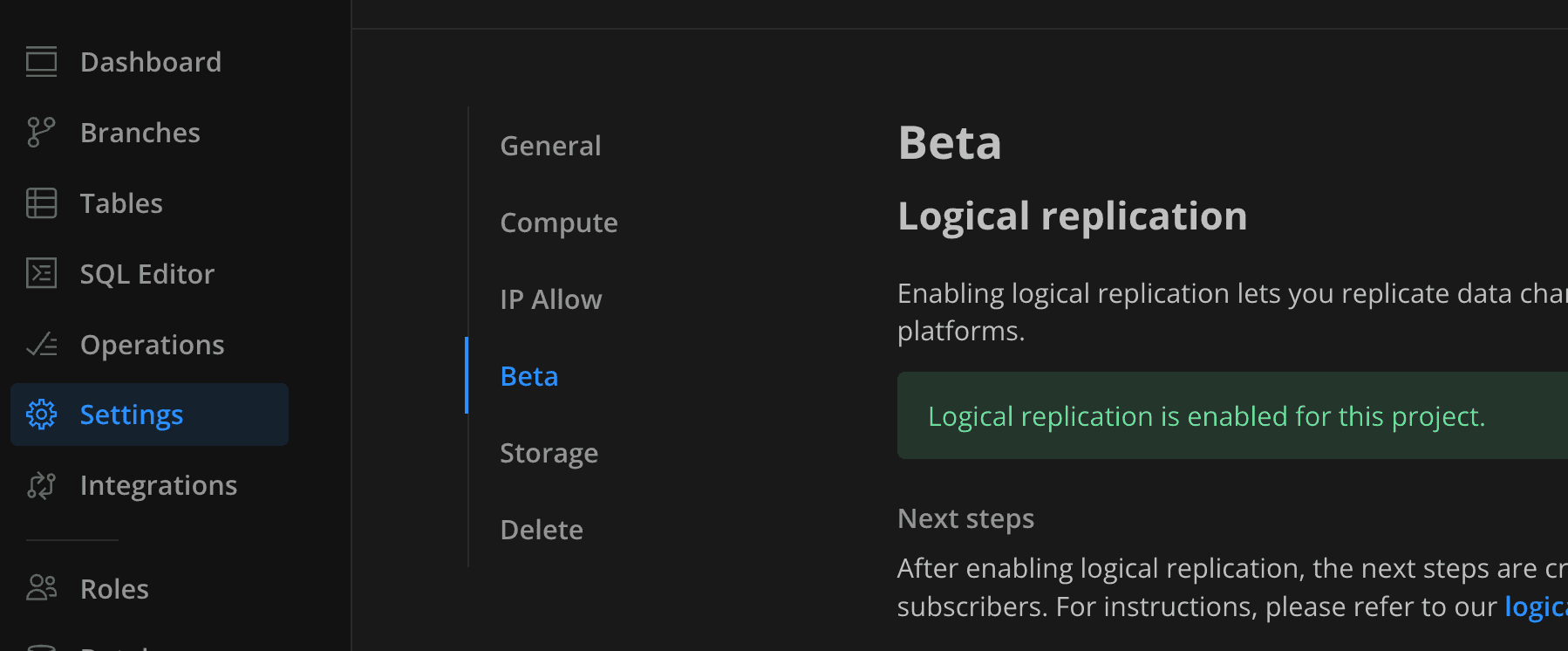
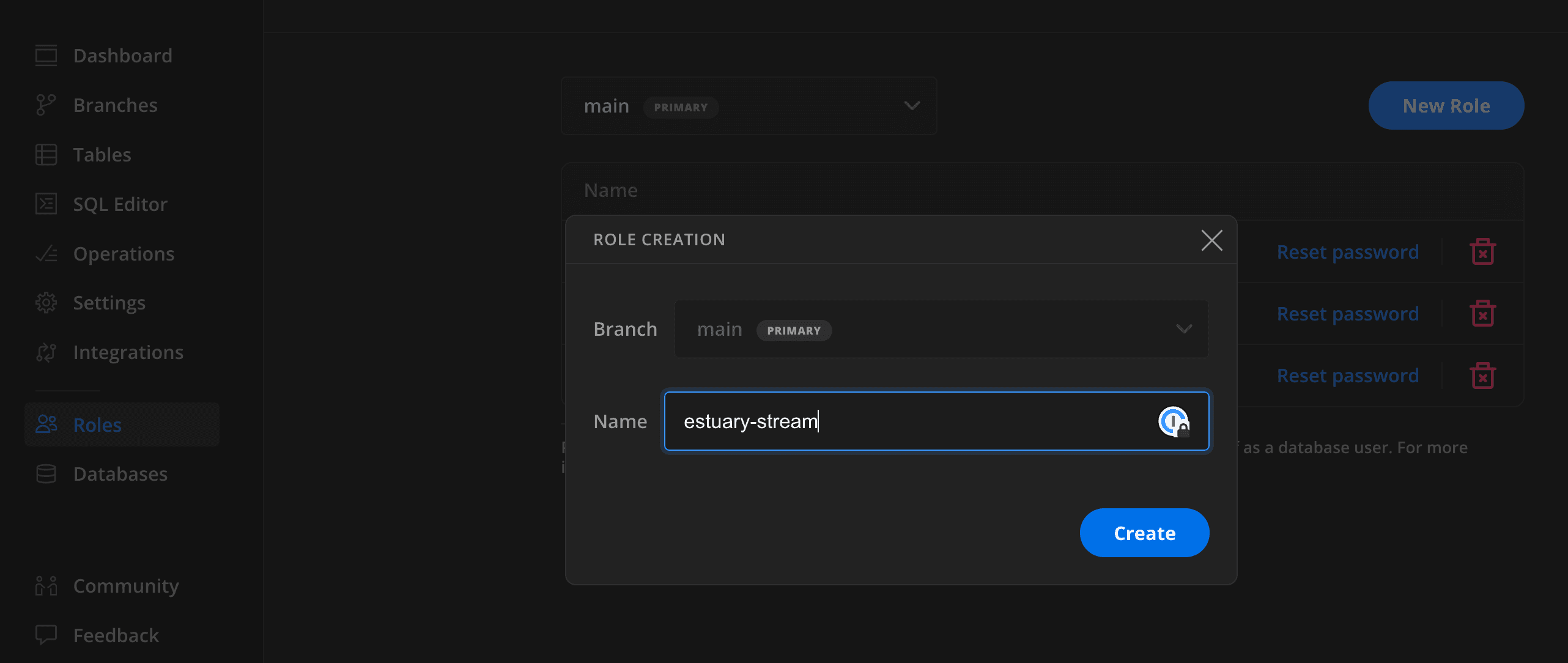 We'll also need to enable log replica in the
 Settings -> Beta.
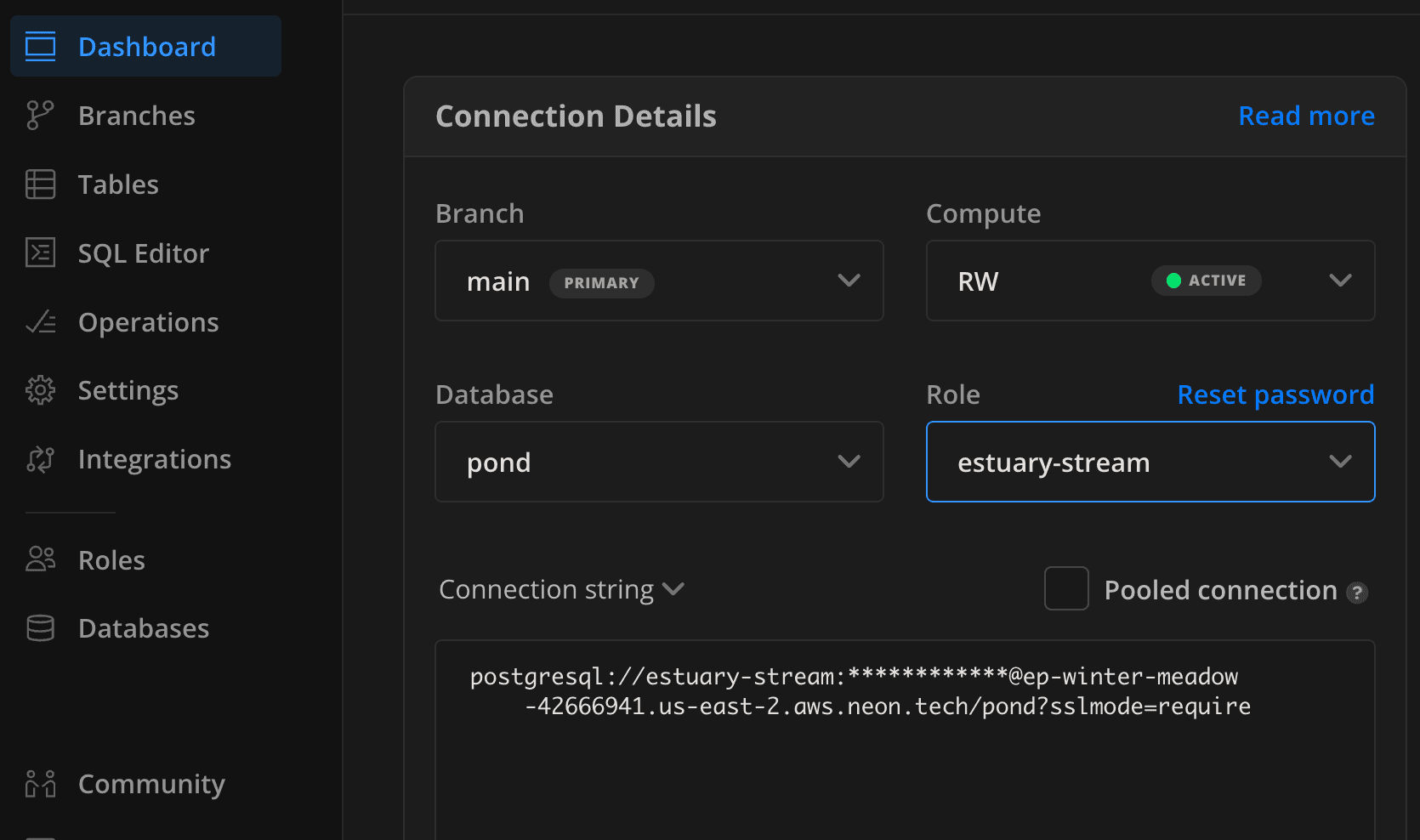
Finally, go to the dashboard and grab the information from the connection string. Be sure to untick the pooled connection parameter. The connection string contains the hostname, user, and password that would be used in the Estuary connector.
Creating an Estuary pipeline consists of 3 things :
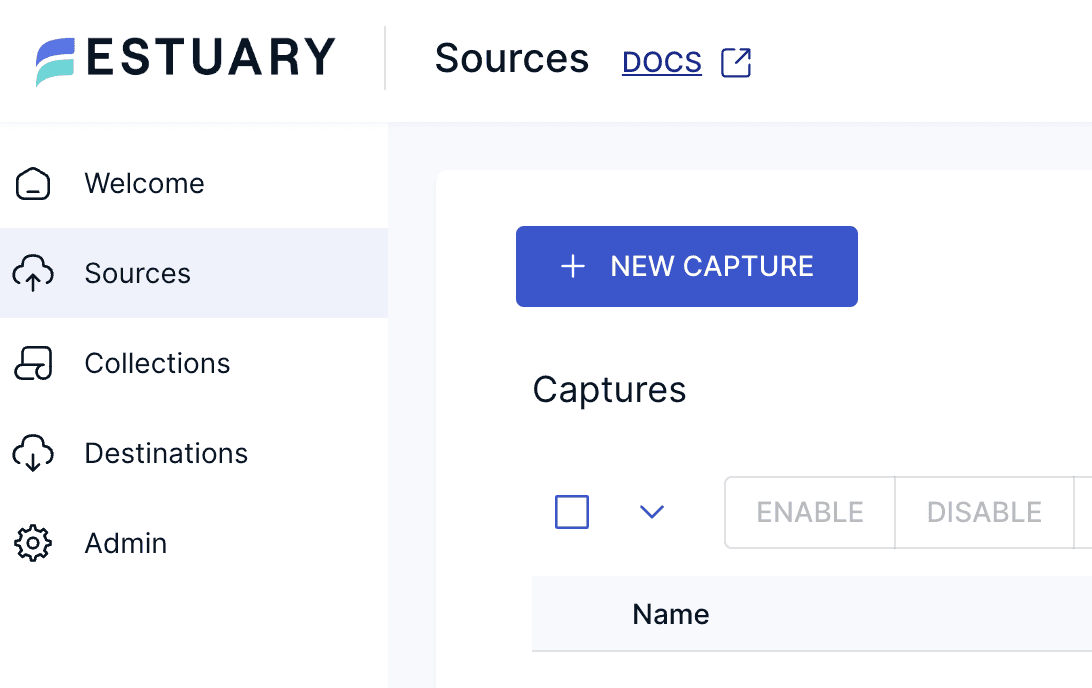
Go to the Estuary dashdboard and click on NEW CAPTURE in the Sources menu.
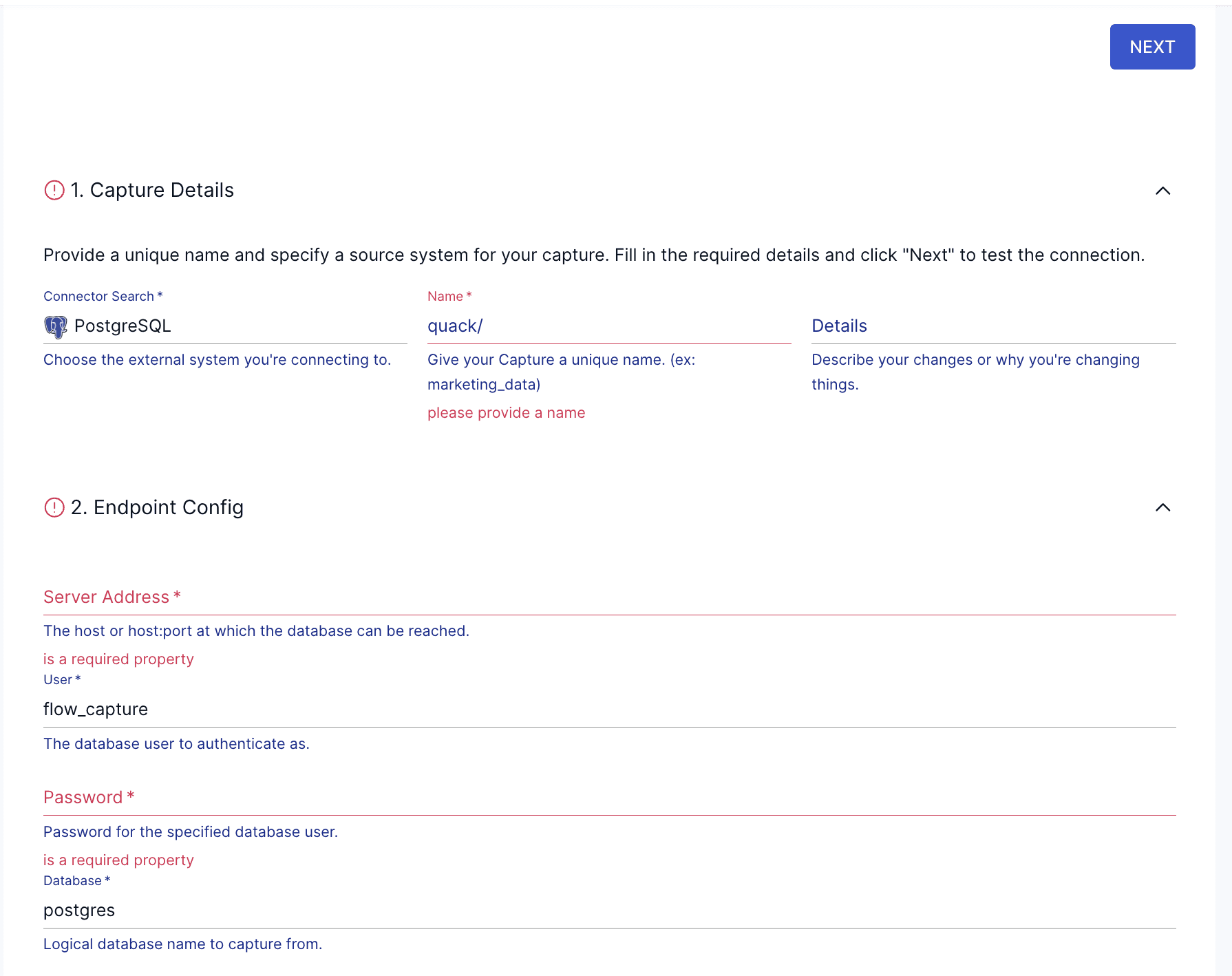
 Search for the
 PostgreSQL connector, click and fill in the information from the connection string we picked from the Neon dashboard.
In the Advanced section, be sure to use verify-full on the SSL Mode. You can leave the other fields as default as the connector will create both publication and slot automatically.
If the connection to the source is successful, you will now be able to select collections (e.g., tables). Here we have only one table (collection). You have also a few options regarding schema evolutions.
 Now on to the
 Destination, click on Destinations on the left hand side, then search for Motherduck. Select MotherDuck as the connector, and start to fill the required fields :
customer)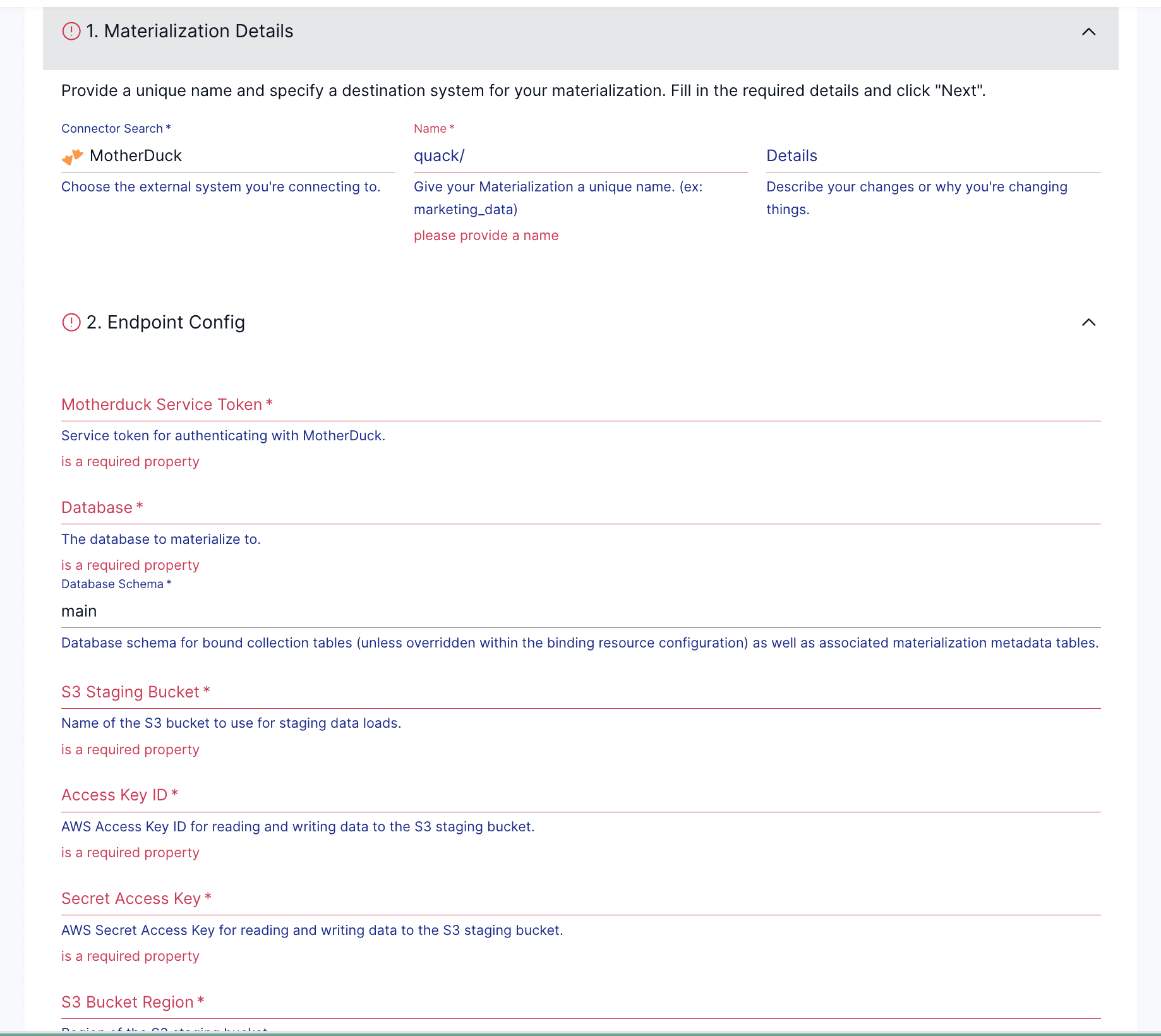
And that's it! Estuary will have backfilled Motherduck and started to load the incremental changes as well. You should now have data in MotherDuck.
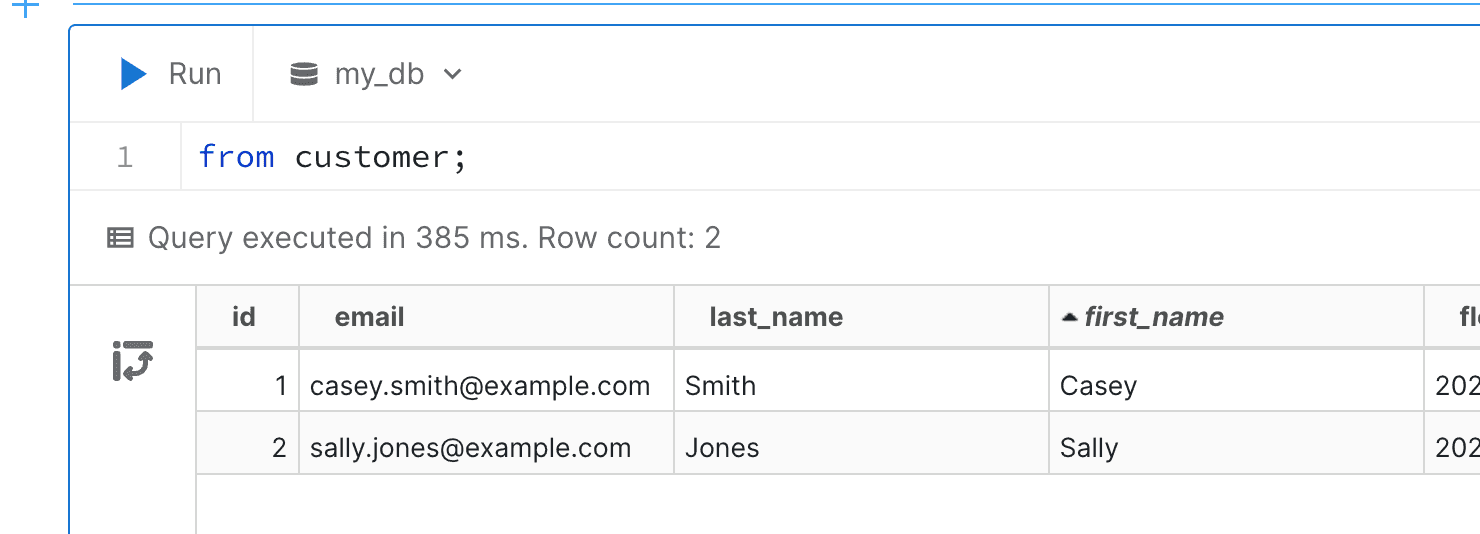
Feel free to play around with the PostgreSQL INSERT query we used above to generate more data and confirm that the data is correctly replicated directly into Motherduck!
In this blog, we've explored the challenges involved in moving data through CDC pipelines, highlighting the complexities of managing these systems. We demonstrated how fast and easy it is to up a CDC pipeline from PostgreSQL (Neon) to MotherDuck using Estuary. Streaming is a big topic. Dive into Estuary's documentation) if you want to learn more about all the options you have for implementing real-time CDC and streaming ETL.
Keep coding, and keep quacking.