Agent-native ingest
Connect Claude, ChatGPT, or Cursor to the MotherDuck MCP Server. Describe the source and your agent writes the connector, deploys it, and sets the schedule. Guided by best practice, Python expertise optional.
🚨 Only two weeks left until Data Outpost. Nov 4-5 in SFGet your ticket before they're gone
Python jobs built by your favorite agent and deployed in MotherDuck. Ingest, enrich, and transform data without expensive ETL.
Bring your sources and your agent. Flights handle the infrastructure: Python runtime, scheduling, secrets, logging, and versioning.
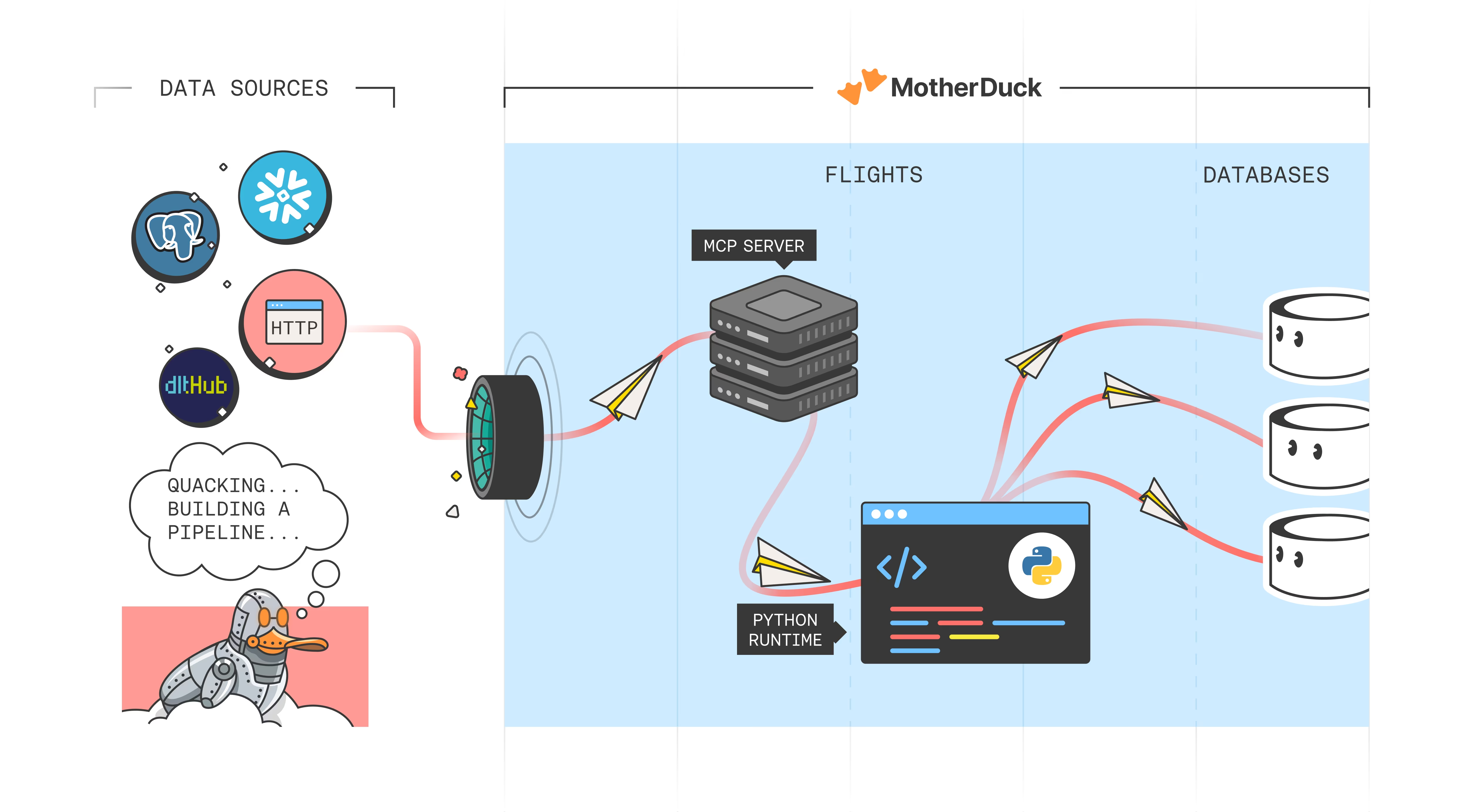
Anything you can pip install, you can run in a Flight. Ingest from databases, SaaS tools, or files. Then visualize in a Dive, all in a single agent session.
Connect Claude, ChatGPT, or Cursor to the MotherDuck MCP Server. Describe the source and your agent writes the connector, deploys it, and sets the schedule. Guided by best practice, Python expertise optional.
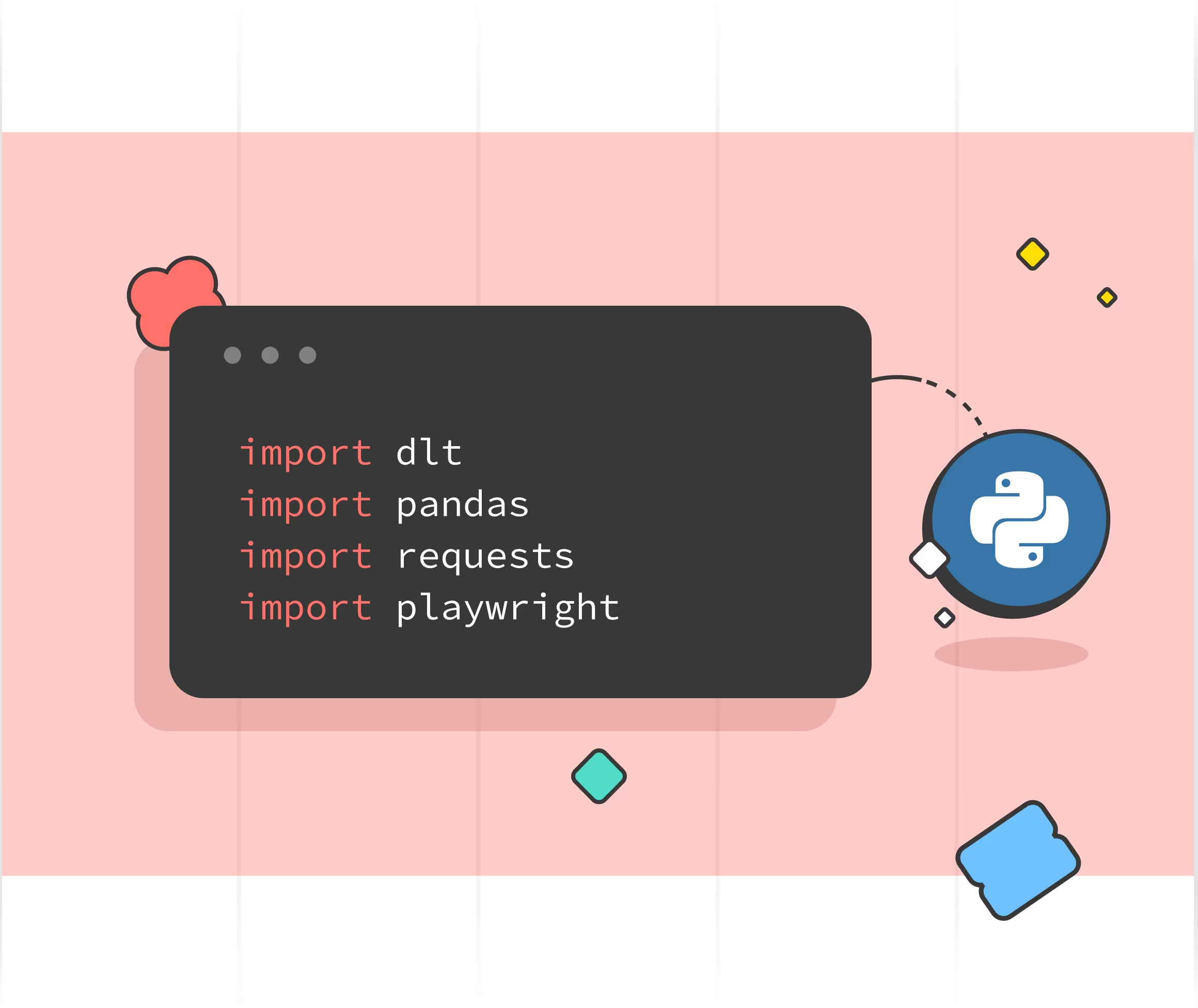
Flights run Python on a dedicated runtime. Bring any pip-installable package, shell out to system binaries through subprocess, and run the same primitive across ingest, transforms, backfills, and scheduled maintenance.
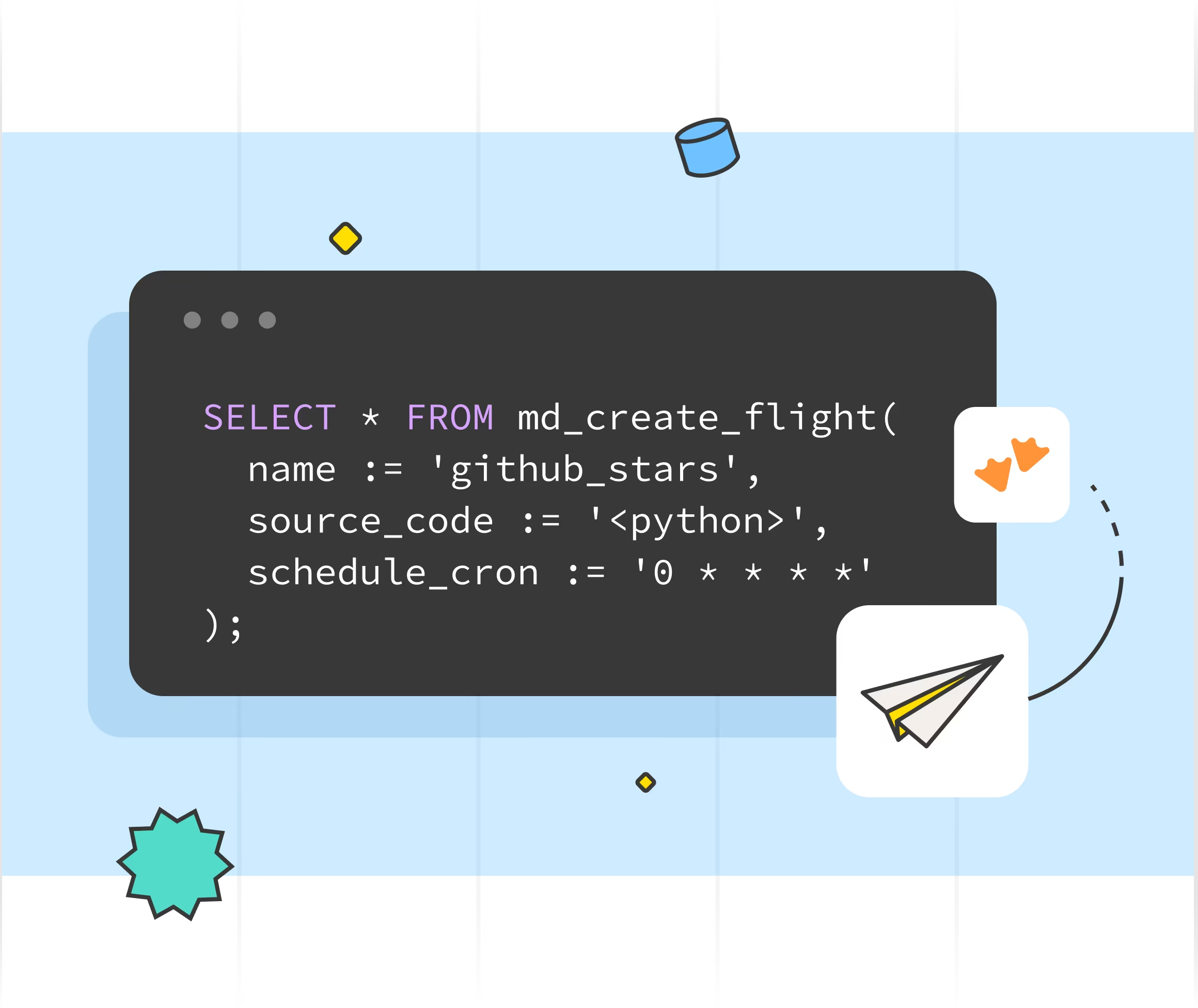
Create and manage Flights from any MotherDuck client using SQL table functions. Schedule runs, fetch logs, version your code, and trigger Flights on demand with table functions like md_create_flight, md_run_flight, and md_flight_runs.
Flights ingests and transforms. Dives explores and visualizes. The same agent drives the whole loop through one MCP server, taking raw data to answers in a single chat thread.
"Flights are the fastest way to get up and running with MotherDuck using your own data. Building Flights is so much faster and easier than stringing together multiple services into a pipeline."

Khalid Alali
Fixlane
md_create_flight(...) from a SQL query to create and manage Flights programmatically.md_create_flight and md_run_flight. Pick whichever workflow fits your team.Your agent writes the pipeline. MotherDuck schedules, runs, and monitors it.