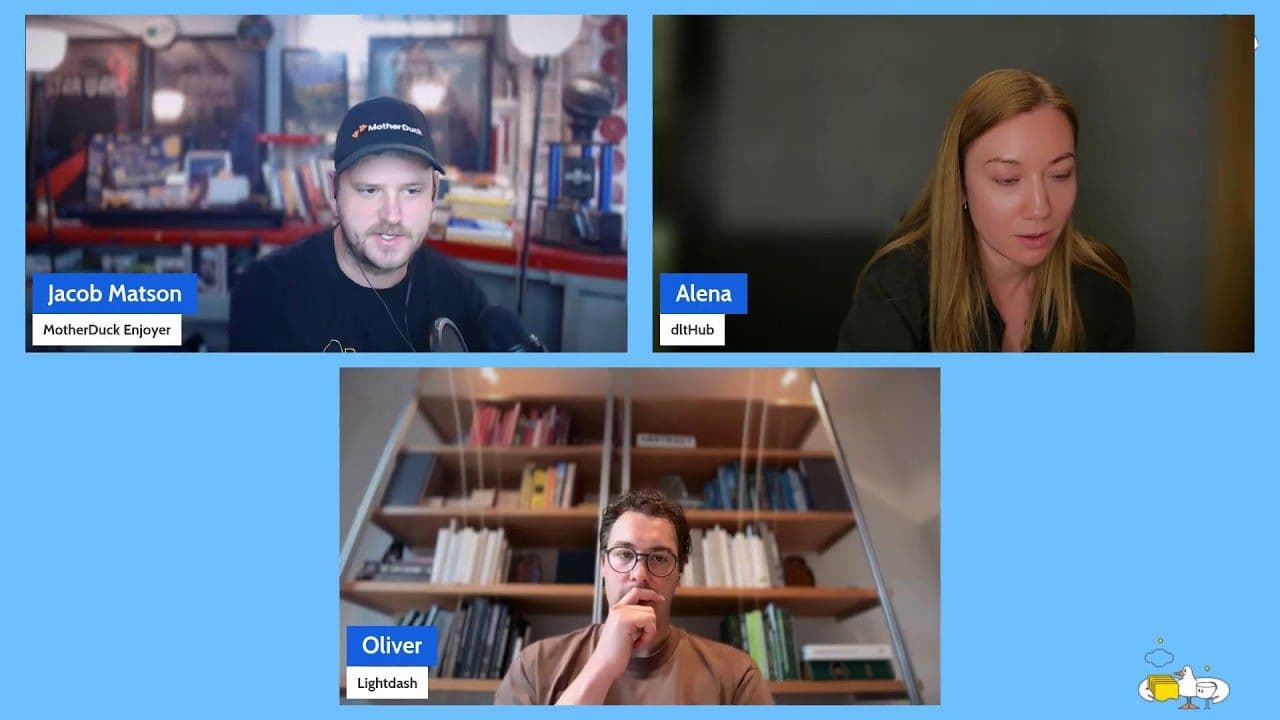
0:00Hello everybody, how is it going? And today we are going to talk about CLI and specifically the MotherDuck CLI. But I'm just curious, a few people already joined, we have people from Sunnyvale,
0:18London, I'll be in London next week for the Big Data London conference. It's a free conference, if you're around in London, it doesn't make sense to not go and at least get some free swag from MotherDuck. And we have a party also in the evening. So if you're in London next week,
0:40please come and say hi, or at least just come to the party in the evening. We have our events on motherduck.com/events, if you want to know more specifically about that. We have
0:59plenty of people from different places. Wow. And Brazil. It's the end of the day for me, 6pm. I'm joining from Europe, Brussels. And we're going to talk for about this session 30 to 45 minutes
1:21around CLI and the MotherDuck CLI. I'll show you a couple of things. But it's mostly trying to get the high level view. I think the biggest thing which is challenging today is that we heard about MCP, if you're using AI, you know, CLI, there's still REST API,
1:42could all REST API. And so all those that work together, why did MotherDuck actually release a CLI where we already had an MCP, kind of understanding the nuances between those usage and what it does it bring to the table. If you have any question for me during the session,
2:03please just go ahead in the chat here. I'll be happy to answer if it's just a general question, or just specific to DuckDB or specific to MotherDuck, happy to answer it. So the whole thing
2:19here is that we did a one prompt and with 45 seconds, we get a hand to end result, meaning that we have nothing installed. So basically, just, you know, the coding agent will be Claude or Codex. I'm also curious, let me know in the comments, what is your favorite, you know, AI partner
2:44these days? Are you more on to the OpenAI team, or I would say Anthropic team, or just open source team? Open models are to be getting really well done. I'll showcase using Claude, but of course, MotherDuck supports natively OpenAI and others. But all of that to say that the only setup you need,
3:08if you want to run those demo, is just, you know, a coding agent, whatever it would be. It doesn't have to be Anthropic or OpenAI. And this is basically the prompt where you can do the full instruction. So like, just key takeaway, but 45 seconds, depending on how the model is reasoning,
3:30looking for something in my goal, you know, faster or not, you know, sometimes they hit some walls and then they loop and they get their results. But all of that to say that you can go from zero to a full, I would say, data pipeline, which is here. It's simple. It's a public data set
3:50with zero setup locally and without a MotherDuck account. So the only thing you need, again, it's just a coding agent and you can pass this. And we're going to see what's happening behind. But if you want to get spoiled, you just grab this prompt. You know, I'll pass it
4:12in the chat here for you, if you want. This is the prompt, if you want to copy paste from there directly. But basically, yeah, just pass the prompt and see what happens.
4:29So today, that's what we understand, why we decide to build AI, what's under it, the surface, a bit of life, and what's beyond, basically, the demo we're going to see. So why CLI? So we have to go back a bit in time, November 2025. It feels like a decade.
4:55But basically, that's where MCP server, I would say, start to just start to be there. There is, I think the open specs come into the summer 2025, maybe around those dates. And we start to see
5:13those MCP happening in the chat, in the web UI. Okay, so you go to Claude web UI, or ChatGPT web UI. And you can, in a few clicks, there is tools that appears and there is an MCP there. MotherDuck has an MCP, an approved official part of the partner on OpenAI,
5:34ChatGPT and Claude. So you can go and find those. Trick is that both of them actually call them not MCP, right? MCP is just as a reminder is the model context protocol is a way for agent to get access to tooling. So here in our case for MotherDuck, some call it integration
5:58connectors or app, depending on the UI, and they've been changing it. But yeah, you can just understand it as a connector and just click in your setting and find the directory of those connector and you'll find MotherDuck. And nowadays, we have much more things happening. We have tons of
6:19basically agents in the shell. So Claude Code have been raising popularity. We have Codex, Cursor as it's on, I believe. And we see also a lot of just NCI, basically agents over there doing specific things. So it means that now we actually kind of shift from the web UI chats to
6:44agents in the shell, because it brings just much more power to the agent than just in being contained into a web UI. And it can access file, it can write codes directly on the file, test it locally if you're working on a machine and iterate just much more quickly.
7:06Oh, sorry for that. And so the idea here is that today, you have kind of like three doors to do things. You can use the REST API and we've already got an agent, right? You can use the MCP,
7:27or you can use a CLI. And the CLI has different usage, not just AI usage. This is not just an AI talk. It's difficult to avoid that. But basically, we'll see also that you can consume, depending on the decision, fewer token into a CLI than an MCP. So the reason for that is that,
7:51for example, for some action, if you're using an MCP to your web chat, you're doing some action, and it's always contacting the server. So, for example, you want to read a dive. A dive is a data visualization offset on MotherDuck, and it's a JavaScript code. So what it's going to do,
8:10if you need iteration, it's going to read that remote offset dive and then do the modification. So that basically reads into the context, and there is multiple round trips for that. If you are building locally, you have a faster live interaction. You can see your dive locally.
8:32The JavaScript code is accessible on your agent locally. You can just do a cat or whatsoever, and it gets it. So there is just fewer token and fewer round trip also happening. So this is just one example around MotherDuck specific use case, but this is valid for any of kind of use case
8:54you're thinking or workflow that you're doing with AI. Depending on what you do, a CLI could have less usage of token and less round trips towards the network than a usage for an MCP.
9:09The other thing is that in MotherDuck, in the CLI, basically we have MotherDuck logging set up, and you can log in just to OAuth authorization. You have your sign up account that's going to
9:30show up the web browser, and you can just click, or you just look if you do a logging and there is a MotherDuck token in your environment, that will be the case for my demo, then it's just picking that up and it's connecting automatically. So if there is no token, you're doing a MotherDuck logging, it's going to try to authenticate to the browser. Otherwise,
9:53it's going to look for a MotherDuck token and connect using this. And if you don't have any accounts, that's why we're going to try. You can do a MotherDuck new. If you do a MotherDuck new, basically you're going to create a temporary new free account that's over there for you,
10:15and you can do anything you want on that temporary free account, and then basically claim it to an URL and attach an account to it. So it's a way, basically, for agents to spawn a MotherDuck new infrastructure, test it out a few things, and then
10:34tear it down. And I'm doing side notes on that. We've built also motherduck.com/try where you can actually try a couple of prompts that we have here. So, I don't know, let's do a simple one, Spotify tracks. I'm loading the data here from a CSV from Hugging Face and doing some
10:55data visualization. And this is starting from a zero org setup. So behind the scene, it's creating a new org. So you see a new org has been created. It's using the remote MCP here, in this case, not the CLI. And it's doing a bunch of query, so driven by the AI shot,
11:17and then it's going to create the dive, which is the JavaScript. And the visualization is going to be ready in a few minutes. But just to show you, this is a fresh new org. There is no login involved. No login setup is doing like the MotherDuck new thing. And so we're going to see,
11:36yeah, the visualization is ready, is there. And so you can start also experimenting on MotherDuck through the CLI without this web UI interface. But it's just, I use this motherduck.com/try to just show you how does that work of creating a new org by the agent. And then you can keep this organization. In the demo here, you fill your email, you get link, and then you can access
12:01this account that you temporarily created. Does that make any sense so far? If you have any questions so far for me, please let me know. I have a question here. Will this presentation made using a MotherDuck dive? That's a good question. Yes and no. Yes, it is. It's just
12:24just size. So basically, using a dive hosted on MotherDuck. I mean, it's not hosted on MotherDuck, it's just hosted on my machine as you can see. So yeah, so that's about the free org MotherDuck. new
12:42with the CLI. So let's actually jump a bit to the CLI directly now. So to install the CLI, basically, you have two things that you need to do. Just you have a core script. It's pretty easy. So this is what you need to do. And here, I'm just checking the DuckDB version to show you and the status. So
13:02I'm going to do that. So I'm going to have multiple commands down. And you see that what is done is install the DuckDB CLI, which is compatible with MotherDuck, version 1. 5. 5. And basically, install the MotherDuck CLI, which are two different CLI, and then do a status. So MotherDuck status
13:24is basically just that, which is key value of authentication, my organization, and my Duckling size, which is my compute size as there. And so now, I have access to, if I do help, I have access
13:44to all those things from the CLI. Here, we just do install and status to see if I'm logging or not. Why am I logging already? Right after you install, if you remember from this slide, if there is a token already in my environment variable, it will just pick up that. So I'm not
14:05even need to do a MotherDuck login. If I'm doing a MotherDuck status, it will check if there is a valid token and authenticate directly. So you see that also there is a MotherDuck home path, where we put some things over there and some secrets also read-only token only when we do the
14:29queries. So the reason why we build that is that if you have been working with MotherDuck, you know that you can connect to MotherDuck with a DuckDB CLI and the DuckDB extension. So you just do an attach MD and basically, you're connected to MotherDuck. And that's valid for any DuckDB client,
14:53whether it be Python, Golang, Node. js, whatever is your jam. And we have also a REST API for admin operation. And we have an MCP tool. So as I said, so if you go to MotherDuck and you go to reference, you're going to see basically our various interface there. So you're
15:18going to see the admin API information, the MotherDuck CLI. We have DuckDB syntax because yeah, you can use any DuckDB client. We have other things that I haven't put there. The MotherDuck WASM SDK, the Postgres endpoint, and there is the MCP server that I mentioned with specific tools.
15:38And the CLI is there basically just to provide you yet another way to interact with MotherDuck, but also a unified one, because here you would have to install a DuckDB client if you want to interact with DuckDB and you don't want to use the MCP. There is multiple reasons why you don't want
15:59or you shouldn't use the MCP. And so installing the DuckDB might be already maybe too heavy for you. So the MotherDuck CLI enables you to just get things lighter over there. You can, because maybe
16:15you have this question, if you go to there, you can specify some flag here on if you want to skip the installation of the DuckDB CLI. Let's say you already have
16:33DuckDB CLI there. So that's something optional during the installation script. So what's under it? So that's just a recapitulative of what I just said. Today you can reach MotherDuck
16:56through a web UI, the AttachMD, the Postgres endpoint I just showed you in the docs, and none of them has basically kind of like a friendly terminal way to interact with MotherDuck. That's the goal of the MotherDuck CLI. So before your CLI, if you would do something, you would
17:21basically run either the DuckDB CLI or do an AttachMD. And the REST API basically is also good for other kind of use case, for basically administration, managing service accounts. It's actually often better to look at logs when you have specific curl and post
17:43commands than this, for example. So that's also what's helpful in a CLI. You have all the logs to shell, which can be automatically piped to any of your logging service if you want to debug. So typically when you're running a CLI, it's clear for what's happening here, for example,
18:02in terms of a bit harder to see and to debug. So today we have in MotherDuck, we have computes, which are DuckDB computes. We call them Ducklings. We have the storage and the catalog. We have governance, where you can basically put specific access control, airbag, managing service
18:26accounts. We have flights, which are Python pipeline. Data visualization, which are React or SQL, which we call Dive. And guides, which are context layers. So agents can read that context to have much better specific action for you. And so you can either use today,
18:50either your laptop, an agent, or the CI for this. So you can think of, basically, I like to think of this of three layers. So first, you basically, in terms of like context for your agent,
19:08so in the CLI, we shipped multiple ways to get information for the agent. So if you're not, if you're using the MCP, you have also, you know, a tool, AskDocs, and so the agent now how to get more information. But if you're on your own and you're not connected to the MCP, it's basically
19:30going to the docs and figuring out which information we need to know about specific things, how to do flights, which are the Python pipeline, how to do Dives. And here, it's built into the binary. So that means that whenever the agent is looking for help, he's going to look at
19:55the moderate CLI commands, which are here, for example. And so you I see, for example, the option on guide, you see, create and manage dive, and there is information specifically on dive. So I think if I do help, I'm going to see the various information on MotherDuck dive specifically.
20:19And I see that I can do a minute of a dive. So for first, this is what I need to start a data visualization, an index JavaScript. I can preview and watch my dive locally, and I can push the dive then to MotherDuck. So I already have also, you know, a runtime also locally to go in and preview it.
20:43I can list the dive. I can pull the dive. I can do other things. So you see that those information, the agent can directly call for help for every specific comments and doesn't need to go to the docs. And then after we have basically your organization guides. So that's the guides which is stored in MotherDuck itself.
21:05And that's specifically your rules about specific business or just styling. For example, you want to have specific style on dive.
21:17So if you go, for example, on docs, and I think it's coffee. Trying to look at the example teams, dive team gallery.
21:36So here, for example, we have an example of different team you can have on your organization. So this is actually an embedded dive, just taking time to load here. And so you see you can have ink and paper, corporate, Salmon. And so those are specific style.
21:57And you see there is visual rules here that you can copy paste if you like one of those. And you can put those into a MotherDuck guide so that whenever there is a guide, there is a new data visualization. It use this basically team. So let me actually show that in MotherDuck try just so that you understand.
22:20Create data visualization guides. And update the dive. So let's see what it does. But basically here is going to create another thing is going to list. You see it creates a guide here to put the team and it's going to update the dive.
22:42So everything of that I did it here. You can do it in the CLI also. But just you understand like, OK, that's information that my agent needs. That's information that I built for the agent specific to my org. And then there is also rules that you put in your development workflow on the CLAUDE.md or AGENTS.md specifically.
23:09All right. So every box on the map, we have MotherDuck query, MotherDuck flights, MotherDuck dive. And then MotherDuck, you can grab the context for each of those. And MotherDuck new login status. And we already did it. We already see also how to install the CLI.
23:32It's just one command, as I show. And you have an optional to skip here. The DuckDB CLI. Or if you just want to install actually the DuckDB CLI without the MotherDuck CLI, you can also do that. And we have a smooth upgrade path when we upgrade the CLI to just do a MotherDuck upgrade if you already installed.
23:58So just for understanding which one is doing what. In DuckDB, you can basically work locally in the Cloud. It's really your engine. And MotherDuck is really just a client. So it does the query, but it sends it to MotherDuck. Same for flights. It can write, you know, flight locally based on best practice and dive and so on.
24:20And then send it to the Cloud. So that's all about MotherDuck status. And, yeah, let's try actually to, I think I have a session ready here. A fresh new org. So here I just unset my MotherDuck token because I had already one.
24:43And just show, okay, I want to have a new org in AWS EU Central. And you see that MotherDuck created a new account. And the CLI saved the new token as your login credential. So now when I'm doing a MotherDuck status, hopefully I'll see actually the region.
25:06Yes, you see. This is not the one we saw over here, which was my basically org. Here is just one which is not claimed yet. And we see that we have a claim URL that I can get. And the login credential is stored over there on specific location.
25:30And so now I can do also some specific queries. So I'll do I think I have. So I can claim basically to get the URL. So that will give me the full URL. Let's do this query.
25:51So here this is how I'm doing with the CLI, just a query. And then I'm quoting this. And this is my SQL query, which is just scanning some data from Parquet. So this is going to send a query to the new MotherDuck org created and return basically the result, which is basically, as you see, instant.
26:15And I have the data here. I think the Parquet is about 2 gigabytes of data. But what's happening, of course, is that I'm sending the query to MotherDuck. MotherDuck is using the cloud network and querying from the hosted DuckDB there. The S3 file and then get back the result to me.
26:36So there is no the only data that's transiting from my home network to MotherDuck is basically the result, which is pipeline. So you can basically inspect, have specific run. So if you have a pipeline, you can push a new pipeline, a new flight, for example, there. You can run it.
27:00You can inspect the run there. And you can also display the logs. You can push a flight and schedule it. Sorry for that. I keep moving it. Let me just do it like this. You can schedule also a flight. And you can create secrets.
27:21Also, I don't think we should put plain secret there. But you could, for example, inject it from your environment variable directly. So that's one option. But also the safest way is just go to the web UI and create your API key there before creating the flight.
27:47You have new for AWS agents, news for AWS agents, but your output show Azure. So that's just the organization name. So it's a good call out. So today, MotherDuck is only on AWS region. We are not on Azure yet.
28:09That's something coming, right? But here, basically, this is the name, just around the name. So Azure, not as like Azure, the hyperscaler, but basically just Azure, the color, whatsoever. It's just a random name. This is interesting. But, yeah, no, we don't have support for Azure Cloud yet.
28:35Let me come back to the slides. So, yeah, that's all you can do. I'm not going to go one by one on the comments because there's not something interesting there. What is interesting is that you can output things as JSON.
28:58I think you can output the status also as JSON. So let's see that. So you see you can output any output of the comments, which means logs, query results, and others as JSON, which is really great because, basically, agents love reading JSON, right?
29:21They're really good at that. So that's an easy way for an agent to inspect results and logs of a specific pipeline. So that's for the guides. That's for the titles. That's for dive commands. So, again, you can init, watch, you can punch, you can preview also. So there is a couple of things you can do.
29:49All right. I have one prompt, another demo. So I already did a demo with the motherduck.com/try, but I did a demo. So this is the prompt I show you initially, okay? And I went into a brand-new cloud session. I'm on Fable 5. 1 here.
30:09And what this means is that you see we can see what it does. It looks at if it's already installed. It was already installed here. And then it looks at authentication. You see that I actually have a MotherDuck token, which is available or not, and either there is creating a new org or not.
30:33And, yeah, and you see there is some error sometimes here. So you see, for example, it's doing a query, and there is, you know, reserved keywords. And so the query failed. So it just tried again because it has the logs of the query error.
30:53So you see that's the error classic, which is, you know, getting back from the CLI. And so, yeah, so now I have the query. And it's pushing the insights based on the question I said. Can you use the MotherDuck CLI to analyze this dataset? And it said the analysis is done.
31:12All query run to MotherDuck query against the Parquet Follower Street using the Jumbo Duckling on your account because I had an existing already account on MotherDuck and with a MotherDuck token. And so that's what's important. That is analysis in the file. And you see it went a bunch of key finding analytics.
31:36Volume is flat all year. Every full month, land between 23,000 and 27,000 stories. So this is Hacker News data from a specific window, time window. And there is a bunch of, I would say, other insights. Top story by score, so mechanical watch, Google Search is dying, and others.
32:00So, yeah, that was basically just the prompt I did. Again, zero setup. The only thing I need is a coding agent. So having a shell access so that it can download the CLI and just go for it. And it did basically all the action. Look at the status.
32:21So we went to this command, which is important in the static authentication. Check if I have a MotherDuck token. Otherwise, create a new org, already a temporary org, and then use the query command. So here I'm just using simple thing, which is logging status and query.
32:40And, of course, you can go much further by just doing working with flights and dive. Also, again, in the CLI. That's it for today. And now I'm going to watch if there is any question.
33:02Is the main benefit of using CLI over MCP, the saving on token? Maybe sometimes you won't save any token. No, it's not. The CLI enables you to actually also interact in places where you don't need an agent. You don't need an agent in GitHub Action necessarily.
33:18So if you want, for example, to, I would say, build and push your dive, your data visualization, or your pipeline, test it. You can use it. And actually, I realize I had a few more slides.
33:36So just give me a sec.
33:44So I have actually prepared some example on how it looks like.
34:04On GitHub Action. So here, for example, this is how it's going to look if you are actually basically using the CLI.
34:27So before, what you needed to do is basically install a DuckDB client, check which version is compatible with MotherDuck. Now you just do an install of the DuckDB, the MotherDuck, sorry, CLI. And basically just do a flight push if you want to run the flights and triggers based on GitHub workflow.
34:47And you can get the result also and the status of the logs directly. So that's just once. It can be in a PR. And so that means that, yeah, the CLI can help you to deploy flights and so on in a make file, for example. This is how it will look like. So that's much cleaner.
35:07Before, you would use to do DuckDB, connect to MotherDuck, and other things. Now you have basically a one single line action, which is much more readable and easier to set up for you and your agent. So that's all to say that it's not just about, I would say, using it with agents.
35:29It's also basically how you can use it without agent in CLI. So it's not about just saving of token. Yeah, so that's it. I think we are coming to a close of this session.
35:51One last call out I would say is just go to MotherDuck docs, look at the CLI install script, the one line I already gave you, and just play with it. And if you're lazy and you don't want to play with it, just give the prompt I gave you at the beginning just to play with your coding agents. Again, really zero setup.
36:14You don't even need a MotherDuck account. It will figure it out and you're going to see the magic and what you can do with the CLI. And that's it for today. And I hope you take care of the ducks and I'll see you in the next one. Cheers.